Introduction
If you run a WordPress site, you know the pain: messy URLs, broken links tanking SEO, affiliate links you don’t want exposed, and the daily grind of chasing down 404s and patching redirects. Every minute you spend firefighting links is a minute you’re not creating content, optimizing conversions, or serving customers. That’s why tools that centralize link management and automate the heavy lifting are a quiet superpower for publishers, eCommerce stores, and affiliate marketers.
LinkMaster Pro aims to be that superpower. It’s pitched as a lightweight yet comprehensive WordPress plugin for advanced link management—combining custom permalinks, smart redirects with expiration and attributes, link cloaking with access controls, broken link scanning, auto internal linking, a custom 404 system, and bulk import/export. In this review, I dive deep into what LinkMaster Pro does well, where it could improve, how it compares to alternatives, and who will get the most ROI from it.
I tested its feature set based on the official sales page and public documentation, cross-checked with WordPress.org listings and user reviews. If you’re considering a serious upgrade to how you handle links—and want something that boosts SEO while cutting manual work—read on.
Overview
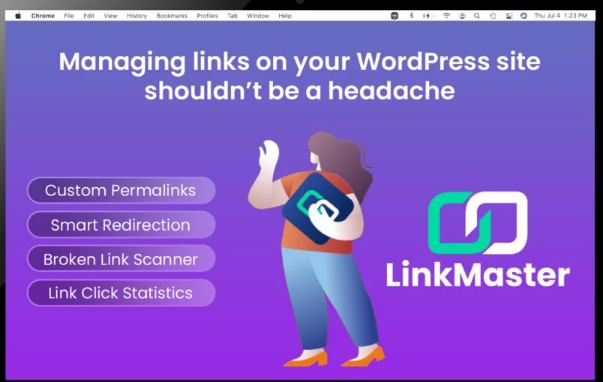
What it is: LinkMaster Pro is a premium WordPress plugin designed to centralize and streamline link management. It brings together features typically spread across multiple plugins: custom permalinks, redirection rules, link cloaking with security, auto internal linking, broken link detection, and custom 404 handling.
Who it’s for:
- Content-heavy publishers who need precise control over URLs and internal linking.
- SEO teams who want scheduled scans, link health visibility, and redirect hygiene.
- Affiliate marketers who need clean cloaked links with password/IP gating and click limits.
- Store owners managing seasonal or limited-time redirects and wanting to preserve SEO during product changes.
- Agencies managing multiple WordPress sites where repeatable, bulk operations save time.
Key highlights:
- Custom permalinks for posts, pages, and custom post types, including support for file extensions like .html and .php and query parameters.
- Redirection engine with expiring links, SEO attributes (nofollow/sponsored), and bulk import/export.
- Advanced link cloaking with password and IP restrictions, click limiting, and expiration.
- Broken link scanner with scheduled scans and export.
- Auto internal linking: auto-link keywords to URLs with controls around frequency and exclusions.
- Custom 404 page and smart redirection to keep users engaged.
- Bulk operations across permalinks, redirects, and cloaked links.
- Lightweight performance ethos; no .htaccess edits required.
Requirements:
- WordPress 5.7+ and PHP 7.2+ (per vendor FAQ). Works across posts, pages, and custom post types.
Pricing:
- LinkMaster Pro: $499 billed annually, with one year of updates and priority support. 20-day money-back guarantee. Sales page: https://learn.getlinkmaster.com/wp-deal/
Features
Here’s a closer look at the major features and how they work on a real site workflow.
- Custom Permalinks (with extension support)
- Create Custom Permalink Structures: Override WordPress’s global permalink setting on a per-post/page basis. Useful when you need very specific URL slugs for SEO or branding without changing your entire site structure.
- File Extensions and Query Parameters: Support for .html/.php and similar extensions, plus query strings like /search?category=shoes. This is valuable if you’re migrating from a legacy CMS or want “static” style URLs.
- Bulk Import/Export: Manage large URL lists via CSV to standardize naming and accelerate migration tasks.
- Search and Replace: Quickly update legacy segments in permalinks without manual editing.
- Smart Redirections
- Status Codes: 301 permanent redirects, 302/303 temporary, plus 307/308 options.
- Expiring Redirects: Set redirects to switch off at a date/time—excellent for campaigns, limited-time offers, and seasonal pages.
- SEO Attributes: Add rel=”nofollow” or sponsored where appropriate.
- Bulk Import/Export: Bring in redirects at scale, e.g., when reorganizing a taxonomy or migrating product URLs.
- Analytics: Track clicks for redirected links to understand user behavior and the effectiveness of campaigns.
- Advanced Link Cloaking
- Branded Short Links: Cloak long or affiliate URLs behind clean branded slugs (e.g., yoursite.com/go/offer).
- Security Controls: Password-protect links, block access by IP (e.g., to keep offers private to specific audiences or internal teams).
- Link Expiration & Click Limits: Time-limit sensitive offers or cap the number of uses to create urgency and prevent abuse.
- Broken Link Scanner
- Sitewide Scanning: Identify 404s and other HTTP errors across posts, pages, and custom post types.
- Link Health Score: A simple score to visualize your site’s link hygiene.
- Scheduled Scans: Automate scans so you’re alerted before issues pile up.
- Export Reports: Hand broken link lists to team members or VAs for remediation.
- Auto Link Injection (Internal Linking)
- Keyword-to-URL Rules: Define target keywords and matching URLs once, and the plugin will inject internal links across your content.
- Controls: Set maximum links per page, prioritize rules, and exclude specific posts, pages, or post types to avoid over-linking.
- Consistency: Ensures your most important pages get regular internal link love without manual tedium.
- Custom 404 Management
- Custom 404 Page: Replace generic error pages with helpful navigation, popular content, or email capture.
- 404 Redirection: Redirect users (and crawlers) from dead-ends to relevant content to reduce bounce and recover lost traffic.
- Error Logging: Track 404s to find content gaps and fix at the source.
- Performance and Compatibility
- Lightweight & No Server Tweaks: Works without modifying .htaccess; optimized lookups and caching keep overhead minimal.
- Integrations: Designed to play nicely with common WordPress setups (e.g., GeneratePress, Yoast SEO) and WooCommerce.
- Bulk Tools and Admin UX
- CSV import/export for permalinks, redirects, and cloaked links.
- Clear dashboard with at-a-glance metrics and help text.
- Onboarding tips and quick help sections to reduce setup friction.
Benefits
While features tell you what it does, benefits tell you why it matters. Here’s how LinkMaster Pro translates into real-world gains.
-
Significant Time Savings
- Auto internal linking alone can save hours per month for content teams by automating repetitive linking tasks. On a 200-post site, even 2–3 minutes saved per post adds up to 6–10 hours reclaimed in the first pass—and ongoing time savings with each new post.
- Bulk import/export for redirects and permalinks compresses multi-day migrations into a few hours.
-
SEO Wins That Compound
- Cleaner, more descriptive URLs help click-through and rankings over time.
- Automatic redirects prevent link equity loss during content restructures or product turnover.
- Scheduled broken link scans catch SEO liabilities early—fewer 404s, less crawl waste, better UX, and stronger internal link equity flow.
- Keyword-based internal linking improves topical relevance and crawl paths to your cornerstone pages.
-
Higher Affiliate and Campaign Conversions
- Cloaked, branded URLs increase trust and click-throughs compared to raw affiliate links.
- Expiring and click-limited links create urgency for promotions while protecting exclusivity.
- Password/IP controls allow private offers, partner previews, or segmented campaigns without spinning up complex tech.
-
Better User Experience (and Revenue)
- Custom 404 experiences keep users on-site instead of bouncing, often recapturing traffic that would otherwise be lost.
- Consistent internal linking improves discovery of related content or products, increasing pageviews per session and AOV for stores.
-
Cleaner Governance and Less Risk
- Centralizing link logic reduces brittle custom code and the risks of stacking multiple single-purpose plugins.
- Bulk, auditable changes and exportable reports help teams and agencies maintain standards and prove work done.
-
Migration and Legacy Support
- Support for .html/.php extensions and query parameters helps retain URL parity when moving from older CMSs, preserving SEO value and avoiding costly reindexing issues.
Pros
- Truly comprehensive link toolkit: consolidates permalink control, redirects, cloaking, internal linking, broken link scanning, and custom 404s in one place.
- SEO-centered feature design: supports canonical-friendly redirects, internal link automation, and extension-based URLs.
- Security and control for special links: password protection, IP blocking, expiration, and click limits for campaigns or partner access.
- Bulk operations: CSV import/export avoids tedious manual work and supports large sites.
- Scheduled scanning and health scoring: proactive link hygiene, not just reactive fixes.
- No .htaccess edits: easier deployment across a variety of hosting environments.
- Works with posts/pages/custom post types and WooCommerce scenarios.
- 20-day money-back guarantee lowers risk for evaluation.
Cons and Caveats
- Price point: At $499/year, LinkMaster Pro targets serious site owners and teams. For hobby blogs, that’s a stretch unless the ROI is clear.
- Learning curve: With great power comes lots of settings. While the UI is designed to be intuitive, plan a short onboarding period to configure rules, priorities, and exclusions correctly—especially for auto internal linking.
- Not a full analytics suite: Link click stats are helpful, but if you need funnel-level attribution, you’ll still pair with GA4 or another analytics platform.
- Claims of uniqueness around extension support: While LinkMaster supports .html/.php in custom permalinks—a standout feature—other advanced URL tools may offer similar capabilities. Treat “only plugin” claims as marketing; the real distinction here is breadth + execution.
Pricing and Value
- LinkMaster Pro: $499 per year (one year of updates and priority support), 20-day money-back guarantee. Purchase via the sales page: https://learn.getlinkmaster.com/wp-deal/
- Who gets the best ROI:
- Affiliate marketers running high-volume campaigns who benefit from cloaking, expiration, and click limits.
- eCommerce stores that frequently retire products or run time-limited promotions and need bulletproof redirects.
- Publishers with 100+ posts who want consistent internal linking without manual effort.
- Agencies managing multiple properties where bulk tools and scheduled scans save billable hours.
- Value math:
- If the plugin saves 8–10 hours/month in link maintenance across a content team, the annual value easily surpasses $499 at standard hourly rates.
- Recovering even a small percentage of traffic from 404 rescues and improved internal linking can translate into meaningful revenue for ad-driven sites and stores.
User Experience and Setup
- Installation is standard: upload/activate like any plugin.
- No server-side edits needed (no .htaccess rule wrangling), which avoids common pitfalls.
- The dashboard provides logical entry points: Permalinks, Redirections, Cloaked Links, Auto Links, Broken Links, and 404 settings.
- Helpful touches: Link Health Score, scheduled scans, and help text reduce “What should I do next?” friction.
- Tip: Start with a small pilot—configure 2–3 internal link rules, migrate a handful of legacy URLs with .html extensions, and set a few critical redirects. Validate changes, then scale via bulk import.
How LinkMaster Pro Compares to Alternatives
- Pretty Links / ThirstyAffiliates: Excellent for affiliate link cloaking and basic redirects. LinkMaster Pro goes further with expiration, IP/password protection, click limits, and integrates broken link scanning, custom 404 handling, and advanced permalink control. If you’re only cloaking, these are cheaper. If you want a complete link OS, LinkMaster Pro is more comprehensive.
- Redirection plugin: Great free tool for standard redirects. LinkMaster Pro includes bulk operations, expiration, click stats, and broader SEO features (custom permalinks, auto internal linking, 404 management, link cloaking).
- Broken Link Checker: Known for monitoring broken links but can be resource-intensive. LinkMaster Pro builds scheduled scanning into a wider link strategy, with exportable reports and redirect tools ready to fix the issues you find.
- Rank Math/Yoast SEO: Offer some redirect and SEO helpers, but LinkMaster Pro is focused on end-to-end link governance—especially custom permalinks with extensions, cloaking security, and bulk workflows.
Customer Reviews Social proof snapshot:
- WordPress.org listing for “LinkMaster – Link Management, SEO, Broken Links & Redirects” shows positive feedback. Notably:
- “Essential for store maintenance, seamless redirects and instant issue detection!” praised flawless redirects, fast broken link detection, and the Link Health Score for quick performance snapshots—calling it a “game-changer” for maintaining a smooth, professional store experience.
- “Best broken link scanner plugin” highlighted the ease of creating clean custom permalinks and lauded the click stats dashboard as “an absolute gem,” recommending LinkMaster for blogs and sites that care about link hygiene.
- Adoption: The vendor site notes “Join 1000+ Users” downloading LinkMaster. Treat this as vendor-provided context; public repository stats show active installs growing.
These early reviews align with what the feature set promises: a practical, performance-minded toolkit that improves link hygiene and daily workflow.
Use Cases and Workflows
- Affiliate blog: Create cloaked links for all partner offers with branded slugs; add click limits for limited-time bonuses; set auto-links for key buyer-intent keywords pointing to your top roundup pages; schedule broken link scans weekly.
- WooCommerce store: Set redirects for out-of-stock or retired products to in-stock alternatives; enable custom 404 to route users to popular categories; use expiring redirects for seasonal sales; monitor clicks to measure promo effectiveness.
- News/magazine site: Use custom permalinks with .html to maintain continuity after a CMS migration; auto-link cornerstone explainers across new posts; fix broken links from archived content at scale via the scanner and bulk tools.
- Agency: Standardize redirect/import templates across clients; export broken link reports for monthly maintenance; implement 404 captures sitewide; document work with CSV exports.
Objection Handling
- “$499 is steep.” If your site earns from affiliates, ads, or products, the time saved plus SEO gains typically cover the cost. If you don’t need internal linking automation, cloaking security, or bulk operations, a combination of free plugins may suffice—though with more maintenance and fragmentation.
- “Will it slow my site?” The plugin emphasizes lightweight operations, cached lookups, and no .htaccess edits. As with any plugin, keep WordPress core, themes, and plugins updated and test on staging if you run heavy traffic.
- “We already use multiple plugins for this.” Consolidation is a benefit. Fewer moving parts means fewer conflicts, easier training, and clearer audit trails. LinkMaster Pro’s scheduled scans and bulk imports tie together the entire lifecycle.
Support, Updates, and Guarantee
- Priority support and updates for 12 months with the Pro plan.
- 20-day money-back guarantee—enough time to trial on a staging site, run scans, set rules, and validate benefits.
Who Should Buy LinkMaster Pro
- Yes: Affiliate marketers, content teams, and stores that need robust cloaking, internal linking automation, scheduled scans, advanced redirects, and bulk management.
- Maybe: Small hobby blogs with minimal link change and few posts; a handful of free plugins might cover your basic needs.
- Definitely: Agencies managing multiple properties with enterprise-ish needs but wanting to keep WordPress lean and centralized.
Conclusion
LinkMaster Pro brings order to the chaos of WordPress link management. Instead of juggling multiple plugins (and the risks that come with it), you get a cohesive system that handles custom permalinks—even with .html/.php extensions—smart redirections with expiration and SEO attributes, advanced affiliate link cloaking with security controls, scheduled broken link scanning, automated internal linking, and custom 404s. The end result: cleaner URLs, fewer 404s, stronger topical authority, and measurable gains in user experience and revenue.
It isn’t the cheapest option, and not every site needs this much power. But for publishers, eCommerce stores, affiliates, and agencies where links are business-critical, LinkMaster Pro feels like moving from spreadsheets and duct tape to a real link operations platform. If you’ve been looking for a single plugin to own your link strategy end to end, this is the most complete option I’ve seen in 2025 for WordPress.
Call to Action
Ready to take control of every link on your site—while boosting SEO and conversions? Get LinkMaster Pro now. You’re covered by a 20‑day money‑back guarantee, so there’s zero risk in trying it.
Discover More! Click Here for Profitable Online Business Tips 
